How GitHub Can Link Your Crypto Wallet to Your Identity
· 4 min read
Scan your wallet's privacy exposure →
A crypto address may look pseudonymous, but GitHub can provide a bridge back to its owner. Public commit metadata can expose names and email addresses. When a GitHub account can also be associated with a wallet through ENS, social profiles, repositories or other public evidence, those signals can connect an onchain identity to a real-world one.
What Personal Information Does GitHub Reveal?
A lot. GitHub can expose your name, email address, employer, working patterns, projects, collaborators and usernames - and potentially connect those identities to a crypto address.
Usually, this does not happen because of one major mistake. It happens because small pieces of public information get connected.
- A pseudonym leads to a GitHub account.
- A GitHub account leads to an old commit.
- The commit contains an email address.
- The email points to a company or real name.
Suddenly, an identity that looked pseudonymous is not very pseudonymous anymore.
What Metadata Is Public in a Git Commit?
When people think about GitHub privacy, they usually look at their profile.
Is my email public? Is my real name visible? Did I list my employer?
Those things matter, but your GitHub profile is only the obvious layer.
Git commits contain their own metadata, including the author name, email address and timestamp:
Author: John Smith <john@company.com>
Date: Tue Sep 29 14:32:15 2026 +0200
In a public repository, this information is freely accessible as part of the commit history.
Importantly, the author name and email are not necessarily taken from your GitHub profile. For local commits, they normally come from your Git configuration:
git config user.name
git config user.email
This means your GitHub username might be pseudonymous while your commits still contain your real name or personal email address.
How to Protect Your Identity on GitHub
There are two things you need to check: your GitHub privacy settings and your local Git configuration.
1. Keep your GitHub email private
In GitHub, go to: Settings → Emails → Keep my email addresses private
GitHub will then use a private users.noreply.github.com address for supported web-based operations.
However, this does not automatically change the email used by local Git commits.
2. Check your local Git author name and email
To see what your machine is currently using:
git config --show-origin --get user.name
git config --show-origin --get user.email
To change them globally:
git config --global user.name "NEW_NAME"
git config --global user.email "YOUR_PRIVATE_GITHUB_EMAIL"
You can also inspect author identities already present in a repository:
git log --format='%an <%ae>' | sort -u
These changes only affect future commits. Old commits keep the name and email that were stored when they were created.
How GitHub Can Link a Crypto Wallet to Your Identity
So how does a crypto address get connected to GitHub in the first place?
One of the clearest paths is through ENS.
ENS profiles can contain a com.github text record. If an address controls an ENS name and that ENS profile points to a GitHub account, the connection becomes public:
Ethereum address → ENS → GitHub
From there, GitHub commit history may reveal names, email addresses and other identifying information.
There is also a broader, less direct attribution path:
Ethereum address → GitHub search → repo context → GitHub profile → linked websites or social accounts → matching X / ENS / Farcaster identities
This second method is much noisier. A wallet address found in a repository may belong to a contract, donor, tester, deployment target, or simply someone mentioned in documentation.
But when several independent signals point to the same person, the attribution can become much stronger.
Example: vitalik.eth and GitHub Metadata
A simple example is vitalik.eth.
The ENS profile publicly links to the GitHub account vbuterin, creating a direct path: vitalik.eth → GitHub → public commit history
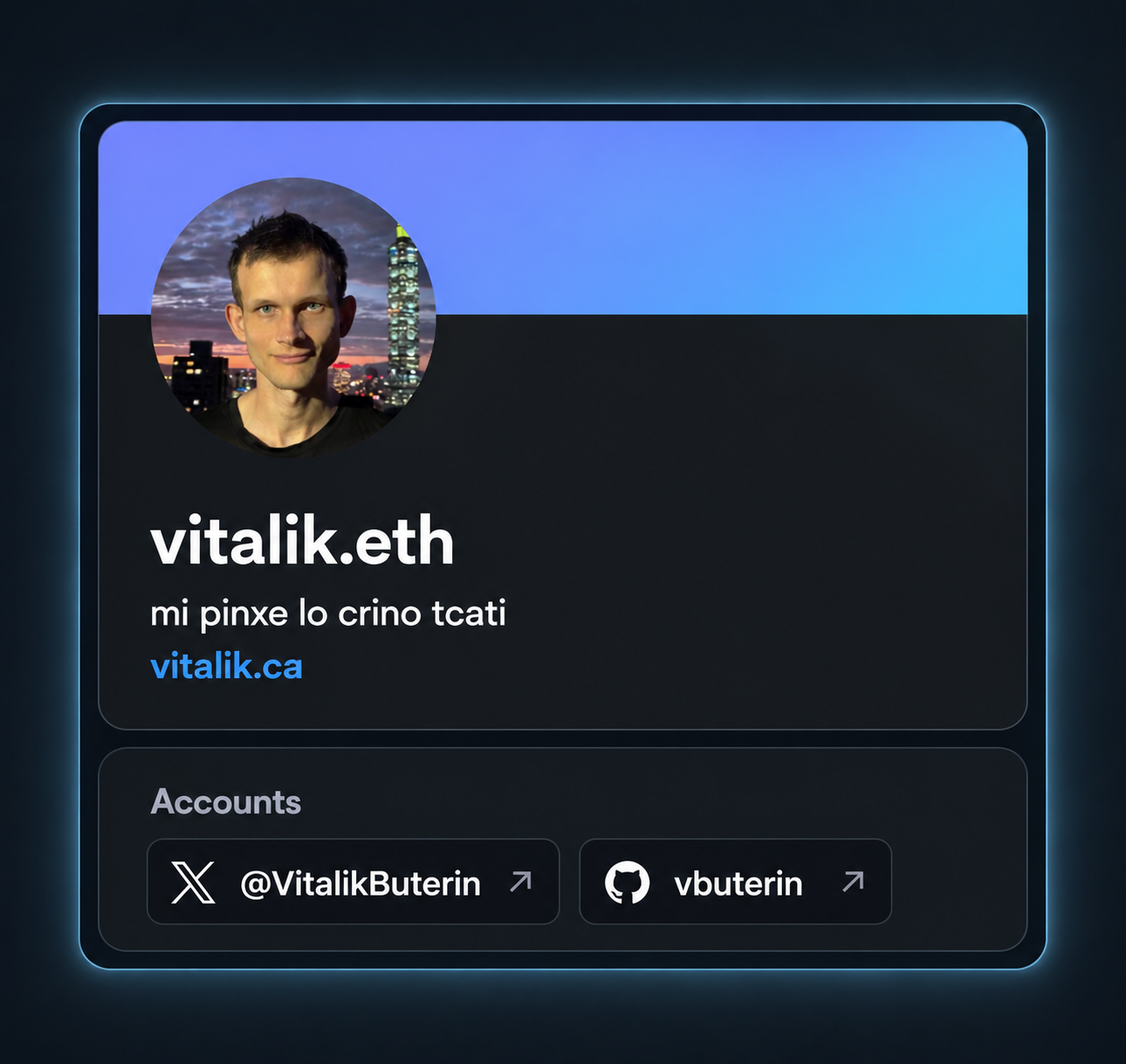
From there, public commits can expose the author metadata stored when each commit was created.
For example, opening a commit's .patch view can reveal:
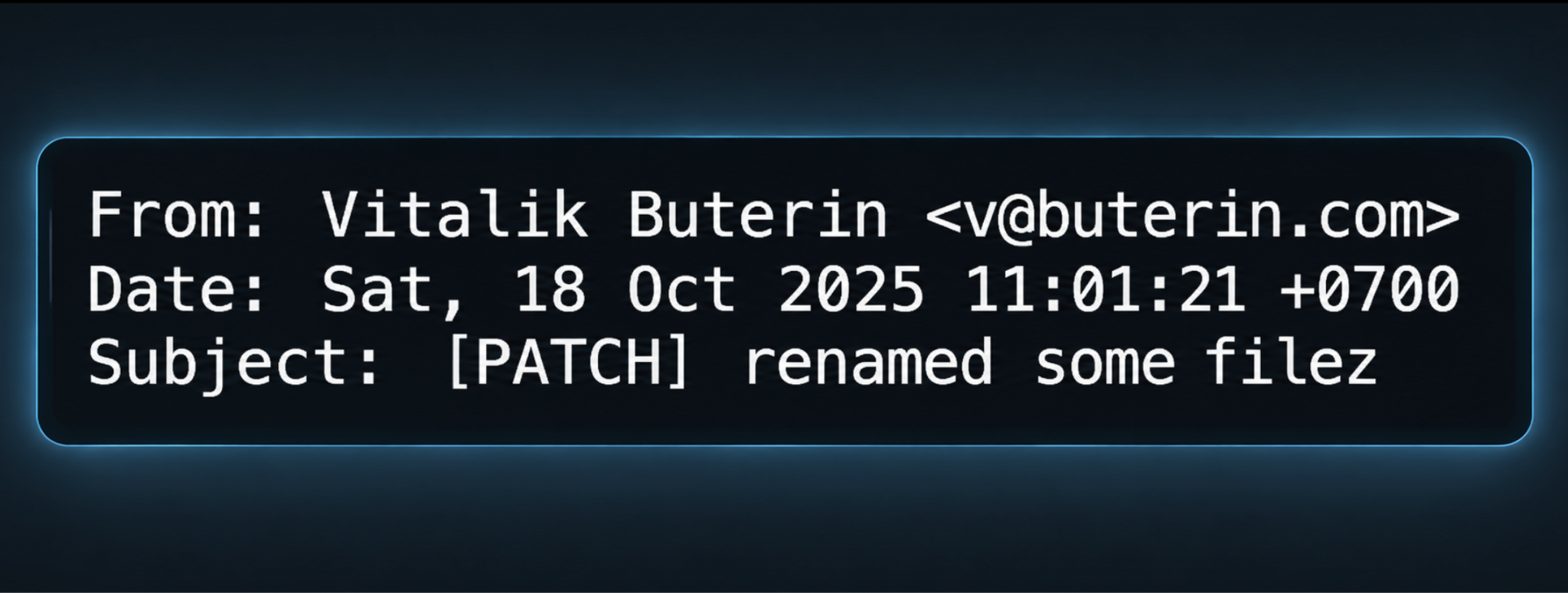
This does not require access to a private repository or any exploit. It is simply public Git metadata connected through public identity records.
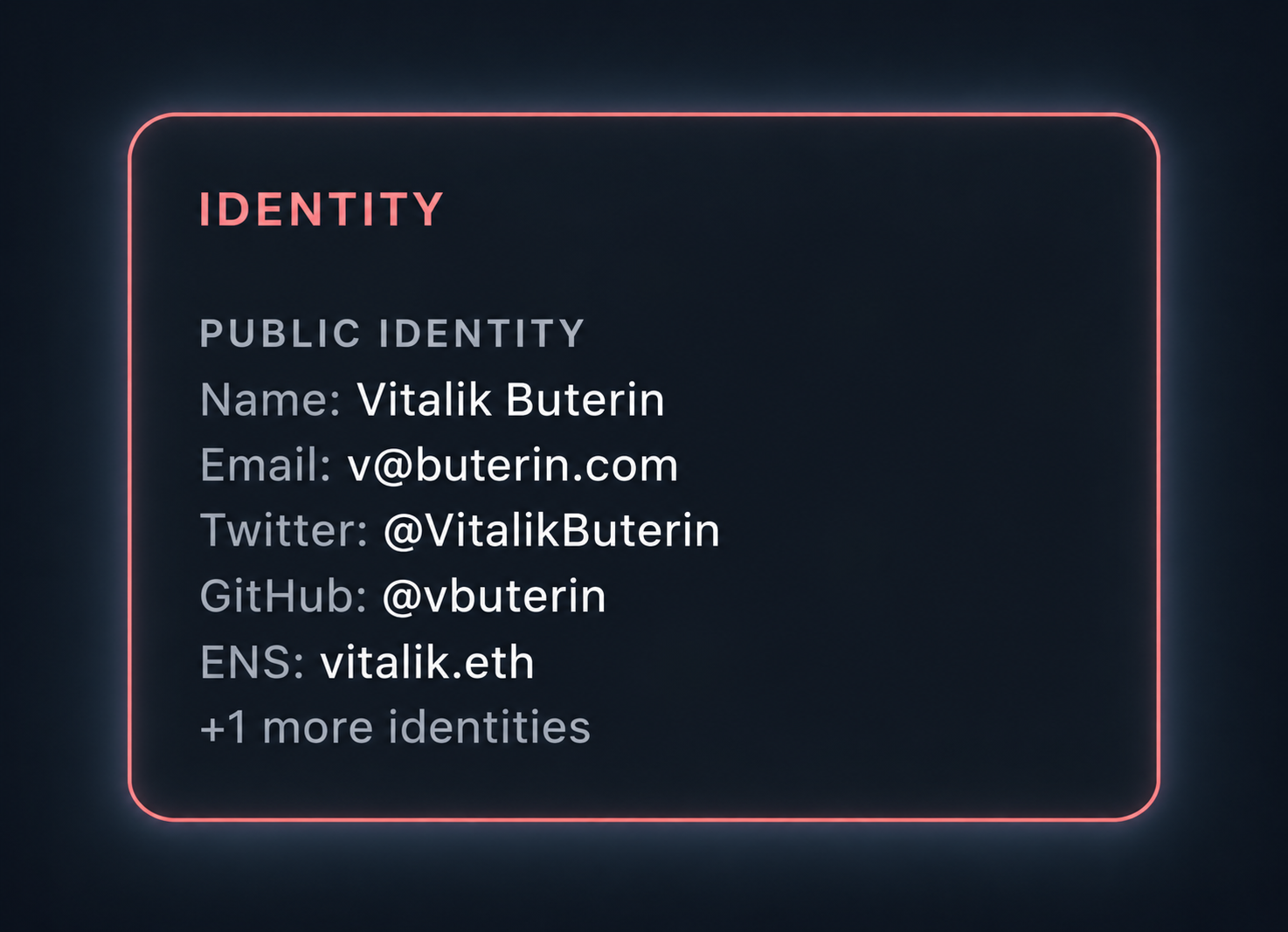
Using Nymis, this kind of connection can be surfaced automatically as part of an address privacy scan.
How to Check Your Privacy Exposure
GitHub is not uniquely bad for privacy. It is simply one source of public identity information.
X reveals social relationships, ENS links names to wallets, blockchains reveal financial relationships, forums reveal interests and context, and GitHub reveals developer identities and collaboration.
Each platform exposes fragments.
The real privacy risk appears when those fragments can be connected.
To check your own exposure, look at:
- the name and email stored in your Git commits
- old repositories, issues and pull requests
- usernames reused across different platforms
- ENS text records and social links
- wallet addresses published in repositories or documentation
The important question is not only: What does my GitHub profile reveal?
But also: What other identities can someone reach from it?
This is the problem Nymis is designed to surface: what can be inferred from an address when public onchain and offchain identity data are connected.